DrawMee - Learn how to draw
Be IncArt & Design
0.00.00 Reviews
- Version
- 2.0.1
- Installs
- 10.00K
- Age Rating
- Everyone
Screenshots
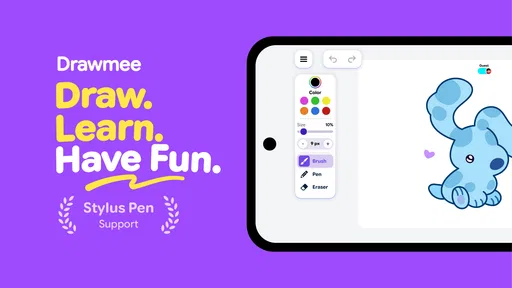
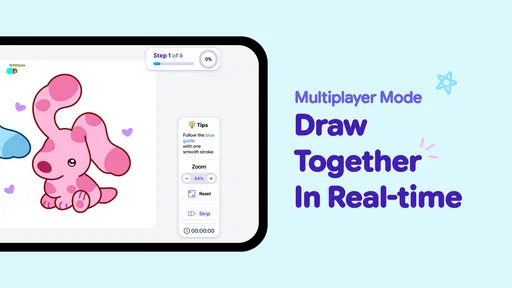
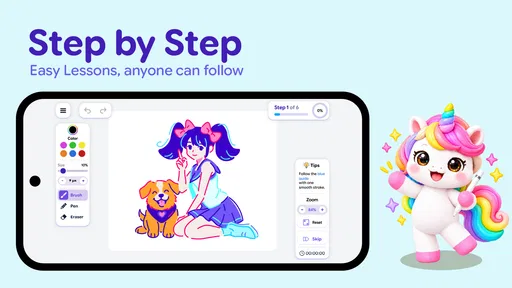
Our Review of DrawMee - Learn how to draw
 Analysis by Appyee
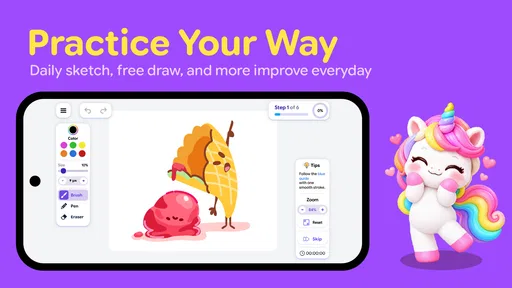
My first impression of DrawMee was that it aims for a gentler kind of creativity. This is not an app that throws a blank canvas at you and expects you to know where to begin. Instead, it presents drawing as a guided, relaxing activity, with collections that make the first step feel manageable. I found that approach especially appealing when I wanted to sketch without turning the session into a serious lesson.
DrawMee is an Art & Design app from Be Inc, available free of charge for users who meet its Everyone content rating. Its central promise is easy to understand: follow approachable drawing guidance, browse themed art collections, and spend a little time making something of your own. The important question, though, is whether that pleasant first session becomes a useful habit or simply feels fresh for a few days.
From an inviting first week to a more demanding routine
I would use this section to look beyond the easy first sessions and consider how the same guided format holds up once drawing becomes part of a busier routine. A useful test is whether I can fit a session around changing energy and attention, rather than expecting every visit to feel equally fresh. That also brings the next question into focus: how comfortably the app works for different abilities and situations.
Why the opening sessions feel so accessible
The strongest part of the early experience is the reduction of pressure. Traditional drawing tools often begin with an empty page, a large brush menu, and no clear idea of what to practice. DrawMee takes a different route. Its guided format gives me a visible direction, which is helpful when I want a short creative break rather than a full study session.
I can imagine using it after work, while waiting for an appointment, or with a child who enjoys pictures but becomes frustrated when a result does not look right immediately. The Everyone rating makes the app easier to recommend in a family setting, although a younger user may still benefit from an adult helping them understand the drawing steps and any optional purchases.
The art collections also matter more than they may seem at first. A collection gives the experience a sense of choice without making the user search endlessly for inspiration. I can pick something that matches my mood, complete a small drawing, and stop there. That is a better fit for casual use than a professional illustration suite, where even a simple experiment can become a project involving layers, brushes, exports, and technical decisions.
During the first week, the guided structure can create a satisfying rhythm: choose an image, follow the instructions, adjust the result, and move on to another subject. The result does not need to be perfect for the session to feel worthwhile. In my view, that is the app’s clearest emotional advantage. It makes drawing feel like a relaxing activity instead of a test of talent.
What it teaches, and what it does not replace
DrawMee is best understood as a friendly starting point, not a complete drawing course. Following a guide can help me notice proportions, outlines, shapes, and the order in which an image can be built. Those are useful habits for a beginner. However, a guided result does not automatically teach independent composition, anatomy, perspective, or visual storytelling.
This distinction is important before downloading it. If I want to relax while producing attractive drawings, the format makes sense. If I want structured progression toward serious digital art, I would eventually need a more demanding learning resource alongside it. A person who already works comfortably with layers, brushes, and freehand construction may find the guided approach too limited as a primary tool.
One practical way to get more value from the early sessions is to avoid treating each guide as a one-time activity. After finishing a drawing, I can try to recreate the same subject again with less reliance on the instructions. That small change turns passive following into a memory exercise. I can also alter the colors or simplify the shapes, using the collection as a starting point rather than a final answer. These habits are more likely to produce lasting improvement than simply completing images as quickly as possible.
The everyday scenario where it makes sense
Suppose I have ten quiet minutes in the evening and do not want to scroll through social media. DrawMee gives me a focused alternative. I can open a collection, choose a manageable subject, and work through it without preparing materials. If I stop halfway, the activity still feels lighter than beginning a large illustration in another app.
That short-session quality is one of the reasons I would recommend trying it to someone who says they are interested in drawing but never has enough time. The app does not require the user to protect a whole afternoon for creativity. Its value comes from making small practice sessions easy to start.
Where the novelty begins to weaken
The first-week appeal depends on how much variety the collections provide for a particular user. Someone who enjoys discovering new subjects may stay interested longer, while someone with narrow tastes may move through the most attractive options quickly. The guided format can also become predictable if every session follows the same basic pattern and does not offer enough room for personal decisions.
That is the first sign of a long-term trade-off. The same structure that removes anxiety for beginners can eventually feel restrictive. I appreciate having a clear path when I am starting, but after repeated sessions I want more control over the subject, the technique, and the final appearance. DrawMee works best when I accept it as a calm guided activity rather than expecting it to evolve into a full studio.
Does it deserve regular use after the first month?
For month-to-month value, I would judge DrawMee by whether it becomes part of a routine instead of relying on surprise. The app has a reasonable chance of staying useful for beginners who want low-pressure practice, particularly if they return to earlier drawings and compare how confidently they can reproduce or modify them.
A good recurring workflow would be to use one session for following a guide, another for repeating the subject from memory, and a later session for making a personal variation. This gives the collections three purposes: instruction, practice, and experimentation. Without that extra effort, the experience may remain closer to guided coloring or tracing-style relaxation than genuine skill development.
The free entry point helps with this decision because I can test the basic appeal before committing money. DrawMee is free to download, while optional in-app purchases range from $7.99 to $39.99 per item. That makes it important to consider the app as a continuing hobby rather than buying simply because the first few sessions were enjoyable. I would spend only after deciding that the available collections fit a routine I will actually maintain.
There is also a difference between recurring value and endless novelty. A large collection can keep an app feeling fresh, but freshness alone does not guarantee progress. I would get more from DrawMee by returning to difficult subjects, changing my approach, and keeping a small personal record of what improved. Even a simple note about which shapes caused trouble can make the next session more intentional.
How it compares with common alternatives
Compared with a blank-canvas drawing app, DrawMee is easier to enter but less open-ended. A blank canvas gives experienced users complete freedom and supports more advanced work, yet it can intimidate beginners. DrawMee is the better choice when I need a prompt and a clear sequence. The canvas-based alternative becomes more attractive once I know what I want to create without guidance.
Compared with a coloring app, DrawMee appears more focused on the act of constructing or following a drawing rather than only filling prepared areas. That can feel more rewarding for someone who wants to understand how an image comes together. On the other hand, a dedicated coloring app may be more satisfying for users who want the most passive form of relaxation and do not want to think about drawing decisions at all.
Compared with video tutorials, DrawMee offers a more compact and hands-on experience. I do not have to watch a long explanation before making a mark. The trade-off is that a video teacher can explain why a line belongs in a certain place, demonstrate mistakes, and adapt lessons to a learner’s questions. DrawMee is more convenient for quick practice, while tutorials are usually better for deeper instruction.
Compared with a paper sketchbook, the app removes the need to carry supplies and makes starting easier. Paper still wins for tactile satisfaction, unrestricted experimentation, and keeping a physical record of progress. I would not see DrawMee as a replacement for a sketchbook; I would use it when convenience matters or when I want a guided prompt before moving to paper.
The maintenance burden is small, but the habit needs intention
DrawMee does not seem demanding in the way a professional creative suite can be. I do not need to learn a complicated interface before beginning, and short sessions are realistic. That low setup cost is valuable because maintenance is often what causes creative apps to disappear from a phone. If opening an app feels like work, I am less likely to return after the initial excitement.
The more subtle burden is motivational. Guided collections can make starting easy, but they cannot decide when I should practice or what I want to improve. To keep the app relevant, I need a modest routine: perhaps one subject repeated in different ways, or a weekly choice from a collection followed by a personal variation. Without a goal like that, I may finish drawings without remembering what I learned.
Another useful habit is to stop before every session becomes tiring. Because the app is built around relaxation, forcing myself to complete a difficult image can undermine its main benefit. I would rather leave a drawing unfinished and return later than turn a calming activity into an obligation. That is particularly relevant for children and casual users, who may enjoy the process more when completion is not treated as the only successful outcome.
Where fatigue can appear
The main source of fatigue is repetition. If the guides, collections, and interactions do not offer enough variation, the user may feel that they are performing the same task with different pictures. Beginners may accept that structure for longer because repetition helps them gain confidence, but experienced artists will likely want greater control sooner.
A second source of fatigue is the gap between guided success and independent ability. An image can look satisfying while I am following the steps, yet I may struggle when asked to draw a similar subject without support. That is not a failure of the app, but it is a reason to use it actively. Repeating a guide from memory, changing its proportions, or combining elements from different subjects can reveal whether the lesson is actually becoming a skill.
Optional purchases may also affect the long-term feeling of freedom. Since individual items can cost between $7.99 and $39.99, I would examine what is included before paying and avoid building a collection impulsively. The free version is the right starting point for most people. A purchase makes sense only when a specific collection supports a clear personal goal, not merely because it looks appealing in a preview.
Users who want advanced editing, detailed brush control, professional file management, or unrestricted original composition should probably skip DrawMee as their main art tool. They will be better served by a full illustration application. Likewise, someone who wants purely passive coloring may prefer a simpler coloring experience. DrawMee sits between those choices: more guided than a studio app, but more participatory than a basic fill-in activity.
Who should keep it installed?
I would keep DrawMee installed if I were a beginner looking for a calm way to practice, a parent seeking an approachable creative activity, or an adult who wants a short screen-based break with a visible result. It is also a sensible option for people who freeze in front of a blank page and need a starting point before developing their own ideas.
I would be more cautious if I already draw regularly and am searching for a tool that expands my technical range. The app may still work as a warm-up, but it is unlikely to replace a canvas app, sketchbook, or detailed course. Its strength is not depth in every direction; its strength is making a small creative action feel approachable.
My long-term verdict
DrawMee earns lasting space when I use it deliberately. Its guided drawings and art collections are well suited to short, relaxing sessions, and the free starting point makes experimentation easy. The experience is especially welcoming during the first week, when clear guidance removes the fear of doing something wrong.
After that, the app needs help from the user. Repeating subjects, adding personal variations, and setting a manageable routine are what turn the collection into recurring value. If I only follow one guide after another, fatigue is likely to arrive once the novelty fades. If I treat each guide as a prompt for observation and practice, the app becomes more useful.
My recommendation is therefore specific: try it if you want guided creativity rather than a professional drawing workspace. Keep your expectations realistic, review optional purchases carefully, and use the collections as stepping stones toward your own decisions. Be Inc has made an approachable art app for casual learners, but its long-term worth depends less on endless novelty than on whether its simple structure helps you return, practice, and gradually draw with more confidence.
The app currently requires Android 8.0 or later and is at version 2.0.1. It has reached over 10 thousand installs, which gives it a small but established presence for anyone curious about trying it. For me, the deciding point is not the install count or the version number; it is the balance between comfort and challenge. DrawMee is worth keeping for the former, provided I create my own challenge when the built-in guidance starts to feel familiar.
Verdict
Strengths of DrawMee - Learn how to draw
- Simple lessons make drawing approachable for complete beginners.
- Step-by-step guidance helps users practice at their own pace.
- Suitable for quick sketching sessions on a phone or tablet.
- Covers basic shapes that support broader drawing skills.
- Useful for children and casual learners exploring art.
Limitations of DrawMee - Learn how to draw
- Advanced artists may find the lessons too basic over time.
- Small screens can make detailed drawing exercises less comfortable.
- Progress may feel limited without more varied practice projects.
- Some features or lessons may require an in-app purchase.
- Results depend heavily on regular practice outside the app.
Similar Picks in This Category
View All
Canva: AI Photo & Video Editor
Canva4.8

PENUP – Drawing-sharing SNS
Samsung Electronics Co., Ltd.4.5

Crafto
Kutumb App4.6

Sketchbook
Sketchbook4.1

ibis Paint X
ibis inc.4.5

Adobe Express: AI Photo, Video
Adobe4.6
Frequently Asked Questions
What is DrawMee - Learn how to draw?
DrawMee - Learn how to draw is a beginner-friendly drawing app designed to guide users through the process of creating pictures step by step. Instead of expecting you to draw everything from memory, it breaks illustrations into simpler shapes and stages. This makes it useful for children, casual learners, and anyone who wants structured practice with basic drawing techniques.
Is DrawMee suitable for beginners and children?
Yes, DrawMee is mainly aimed at beginners, including children who are developing their first drawing skills. The guided lessons are generally easier to follow than traditional art tutorials because each image is divided into manageable steps. However, younger children may still need help navigating the app, choosing suitable lessons, or understanding how to hold and use a stylus or touchscreen accurately.
Does DrawMee work without an internet connection?
The availability of offline features may depend on the specific lesson, version, and device. Some drawing content can often be used after it has been loaded, but certain images, updates, advertisements, or online features may require an internet connection. If offline access is important to you, open the lessons you want to use while connected and check the app’s current store description before downloading.
Is DrawMee free to download and use?
DrawMee may be available as a free download, but the overall experience can include advertising, optional purchases, or restrictions on some lessons and tools. The exact conditions can change between Android and iOS versions and may also vary by region. Before installing, review the app-store listing carefully so you understand whether extra content, an ad-free experience, or other features require payment.
What skills can users develop with DrawMee?
DrawMee can help users practice observation, hand-eye coordination, line control, proportions, and the ability to build a drawing from simple forms. It is especially helpful for learning how to follow a visual sequence and gain confidence through repetition. It should not be considered a complete art course, though, because advanced topics such as anatomy, perspective, shading theory, and personal style may require additional resources.
